Concepts
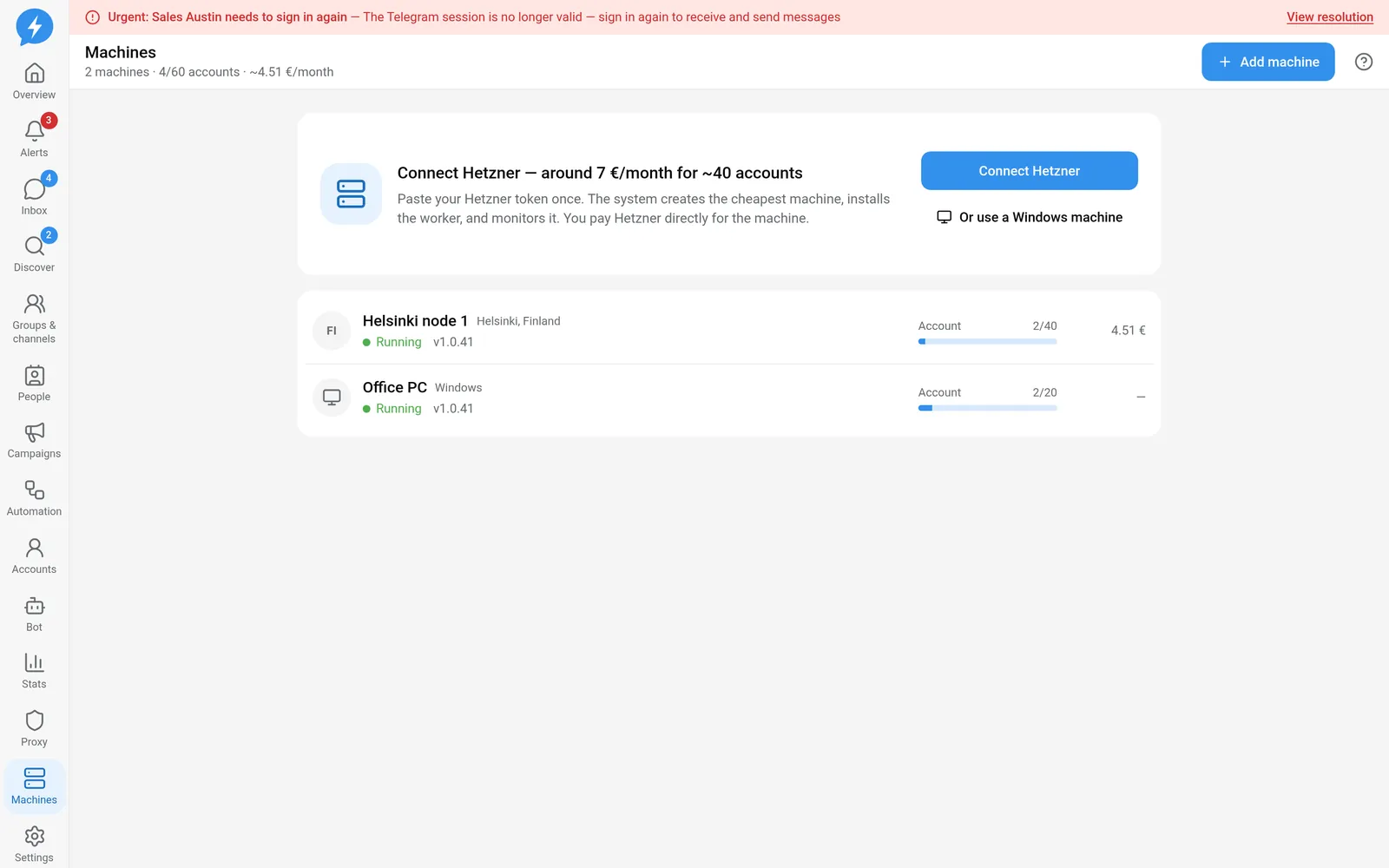
Machines that run accounts
Understand what machines do, Hetzner and Windows options, capacity, and connection status.
A machine holds Telegram sessions and performs work for the accounts assigned to it. The web app is where you control and monitor work. Your browser does not act as the machine.
You can close the web app and work will continue if the machine is running and dispatch conditions are met. If the machine shuts down or loses its network connection, opening the web app cannot replace that connection.
Hetzner or Windows?
| Hetzner | Windows | |
|---|---|---|
| Who owns the machine? | Your Hetzner account | A machine or Windows VPS you manage |
| How it connects | The Owner supplies a token; the app creates a machine and installs the worker software | You run the installer and pair the machine |
| Operation | The app manages machines it created in the project | You maintain the machine, network, and Windows environment |
| Payment | You pay Hetzner directly | You cover the cost of your machine or VPS |
Both options run the same software to keep accounts connected. Choose based on how you want to manage infrastructure. The Telegram sign-in process is the same.
Only an Owner can connect or remove a Hetzner token. Owners and Managers can manage machines according to each operation’s permissions.
Capacity per machine
Default capacity:
- Hetzner: 40 accounts per machine.
- Windows: 20 accounts per machine.
These are defaults, not a promise that every workload will run well at that level. Monitor the number of accounts in use, the specific machine’s capacity, and its operational health.
The system considers a machine nearly full when its account count reaches 85% of capacity (rounded up). When the app suggests launching another machine, do so before adding many new accounts.
Do not move accounts back and forth just to fill machines. Moving machines affects where sessions are held and is decided by the app’s server.
Understand connection status
| Label | Meaning |
|---|---|
| Creating | The system is preparing machine resources |
| Installing | Worker software is being installed on the machine |
| Running | The machine is confirmed active |
| Disconnected | There is no sufficiently recent connection confirmation |
| Error | The machine’s process or state has an error that needs checking |
| Deleting | A deletion request is being processed |
| Deleted | The machine has been deleted |
Online status does not rely only on a stored label. If the last contact was more than 3 minutes ago, the machine is shown as disconnected. A machine that has never contacted the system is not considered online either.
When a machine is silent, you cannot immediately conclude that its accounts have signed out of Telegram. Distinguish machine connection problems from each account’s session problems.
Versions and updates
Machine details show the worker software version when available. Machines may temporarily run different versions because updates are rolled out in stages.
A withdrawn release may cause the system to select another suitable release. Do not compare two machines’ version numbers alone and conclude that the lower-version machine is broken.
When a job is held because a machine does not yet have a recent enough version, wait for the machine to update instead of repeatedly creating the same job.
Before changing or deleting a machine
Removing the token does not delete machines, stop running machines, or end Hetzner charges. It only removes the system’s ability to manage them through that token.