Concepts
A dedicated proxy for each account
Understand dedicated proxy rules, check results, and country mismatch warnings before assigning a proxy to an account.
A proxy is the dedicated network connection an account uses to communicate with Telegram. It is different from the machine: the machine holds the session and performs work, while the proxy provides the account’s route to the Internet.
One machine can hold several accounts, but those accounts do not share a proxy.
Mandatory rules
- Each account has exactly one dedicated proxy.
- The proxy must belong to the same workspace as the account.
- A proxy cannot be assigned to multiple accounts.
- Do not use rotating-IP proxies.
- Do not connect directly through the machine’s IP instead of a proxy.
The app does not automatically switch to a direct connection when a proxy is missing. The rule is checked at three layers: the database, safety gate, and machine. A failure in one layer does not expose the machine’s IP.
Supported proxy types
| Type | Authentication |
|---|---|
| SOCKS5 | With or without a username and password |
| HTTP | With or without a username and password |
You can add proxies individually or import a list using Paste in bulk. The address, port, and credentials must match your provider’s details.
Choose a fixed proxy and check its actual country. Do not treat a plan name or a country you entered yourself as an IP check result.
Where are proxies checked?
Proxies are checked from a workspace machine, not from the browser displaying the page.
If no suitable machine is available, the page shows Waiting for a machine. You can save the proxy first, but you do not yet have enough evidence to consider it operational.
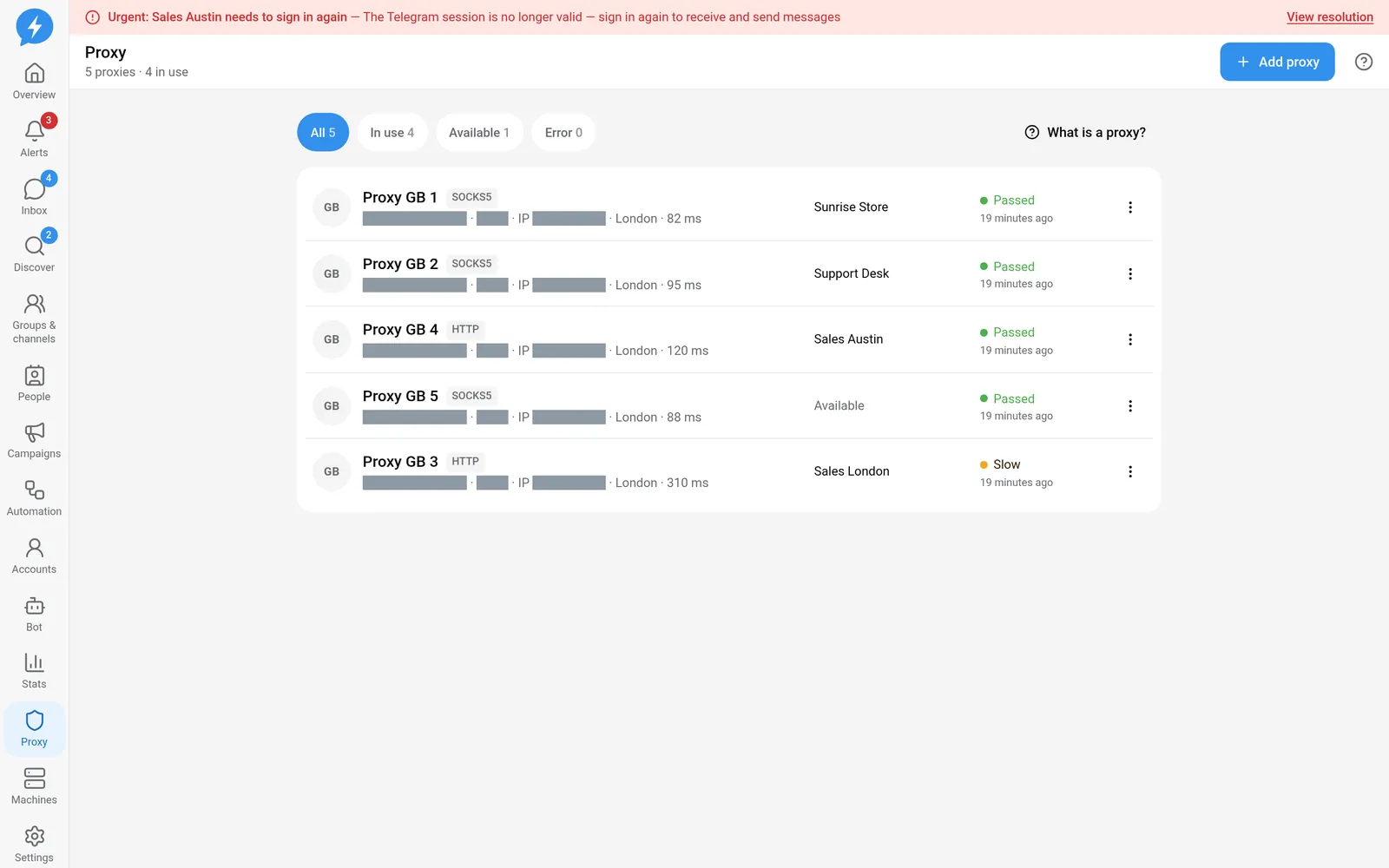
Once a machine is available, the system checks automatically. You can also use Recheck to request a new check.
| Label | Meaning |
|---|---|
| Pending | No completed check result yet |
| Checking | A check is in progress |
| Passed | The connection check succeeded |
| Slow | The proxy works, but the connection is slow |
| Error | The check failed |
| Rotating IP | The IP changed between two checks close together |
The add-account flow accepts available proxies with a Passed or Slow result that are not flagged as rotating IPs. An assigned proxy is no longer available for another account.
Does “Country mismatch” mean the proxy is broken?
No. Country mismatch appears when both the declared and observed countries are available but differ.
This is a location warning. It does not by itself turn the result into a connection error. The page uses the observed country when available. If the actual country is unknown, the system does not flag a mismatch just because data is missing.
Check with your provider and review the account’s time zone. Do not change the declared country just to remove the warning without understanding where the IP actually is.
An IP change is different from a rotating-IP proxy
An IP or country changing once since the previous periodic check only produces a warning. The account continues running.
By contrast, when the IP changes between two checks about 60 seconds apart, the proxy is considered to be rotating its IP. No work is dispatched to the account until a later check sees the same IP twice. A failed check does not clear the rotating-IP flag.
Read both the connection result and the IP warnings. A working connection alone is not enough to conclude that a proxy is suitable for an account.
When editing or deleting a proxy
Changes to an account’s network route need care. Do not use them as random troubleshooting steps. See the Proxy guide to check and change proxies through the correct flow.