Troubleshooting
Account required to wait or throttled
Understand why an account is deferred and handle it without increasing requests rejected by Telegram.
Symptoms
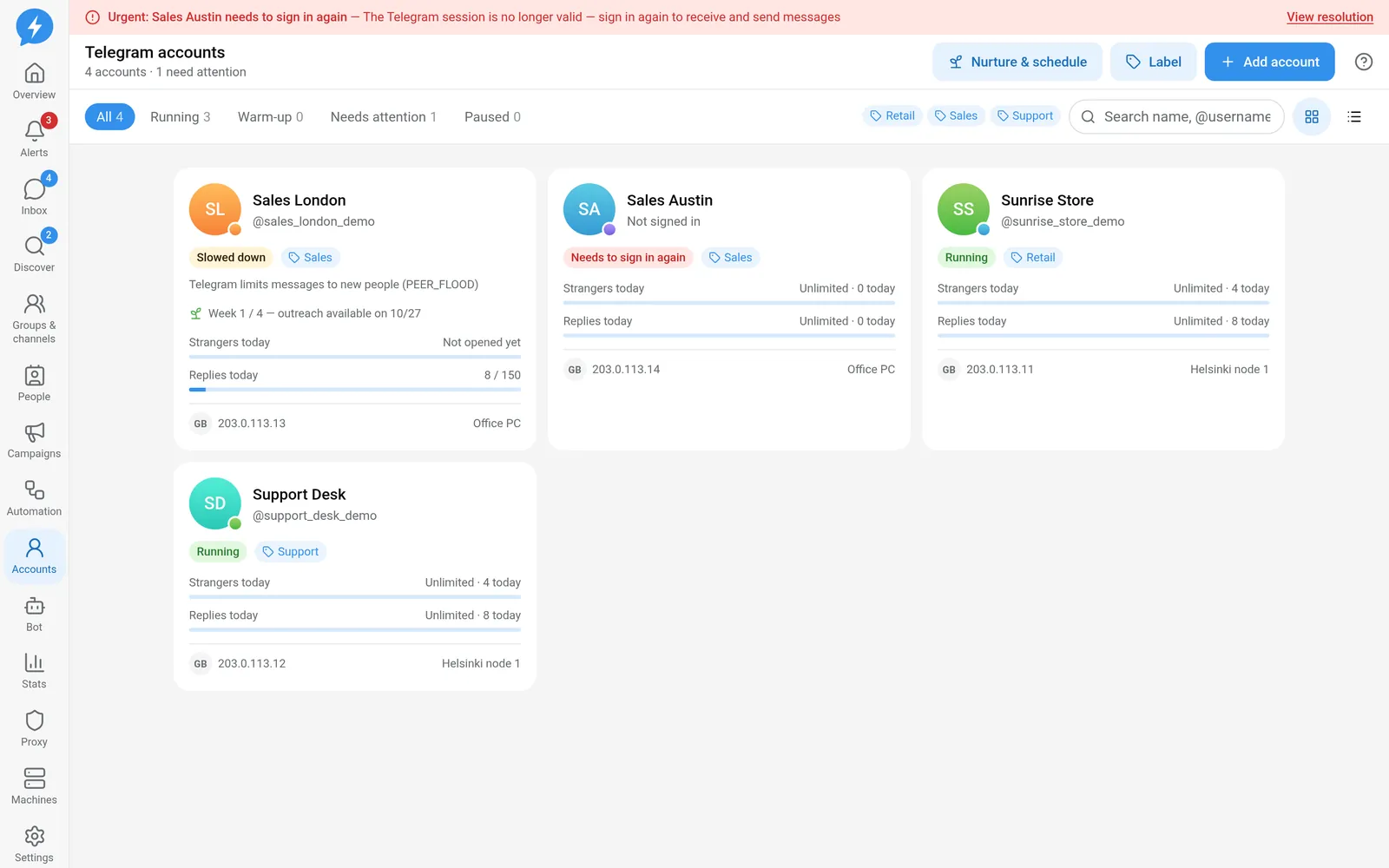
A job does not run immediately, an account is throttled, or a wait-until time is shown. The reason may contain FLOOD_WAIT, SLOWMODE, PEER_FLOOD, or a restriction result from @SpamBot.
Do not treat all of these as machine errors. The machine may be connected normally while Telegram does not allow the next action.
Common causes
FLOOD_WAIT is a wait requirement from Telegram. The app defers the relevant type of action and applies a throttled state. SLOWMODE is a group's message pacing rule; it does not automatically downgrade the whole account's safety state.
PEER_FLOOD and restricted results from @SpamBot are more serious. The account must not automatically keep retrying as it would after a connection error.
In addition to Telegram's required wait, the app has its own precautionary periods:
| Condition | Current policy |
|---|---|
FLOOD_WAIT deferral |
At least 2 times the number of seconds Telegram requires. |
| Throttled | At least 24 hours. |
| Restricted | At least 72 hours before recovery is possible, subject to conditions. |
These periods are not guarantees about Telegram's limits. New signals may extend the wait.
How to fix
- Open the account in Accounts.
- Read the job's hold reason and the safety state.
- Record when resuming can next be considered.
- Check campaigns or automation creating requests for the account.
- Stop request sources that are no longer appropriate.
- Wait until the mandatory period ends.
- For restricted accounts, run an @SpamBot check when the recovery conditions require it.
- Use the recovery action only after obtaining the required evidence.
- Monitor the next job's result before increasing activity.
A clean @SpamBot result does not automatically reactivate the account. Recovery still requires a person's confirmation and checks on the waiting conditions. Banned accounts cannot be recovered through this normal route.
Do not create a redrive just because a job is waiting. Redrive handles certain jobs that have ended; it is not a button for skipping a wait requirement.
If it still fails
Compare the latest error time with the current wait-until time. If the deadline keeps moving out, record the new signal instead of assuming the timer is wrong.
If the wait has ended but recovery is still unavailable, save the account ID, job ID, error code, and @SpamBot check result without sensitive data. For frozen accounts, state the current resolution status on Telegram.
See Telegram limits and safety states. External systems can read account details, MCP accounts_get, before asking you to act.