Concepts
Workspaces, members, and roles
Understand workspace data boundaries, member permissions, and shared team settings.
A workspace is a team’s shared working space. Machines, proxies, Telegram accounts, and operational data belong to the selected workspace.
Switching workspaces changes the scope of the data you work with. A Telegram account cannot run using a proxy from another workspace.
Members are not Telegram accounts
A member is a person who signs in to the web app. A Telegram account is a personal account whose session is held by a machine.
You can let several members handle team work without sharing a web sign-in password. Being a workspace member does not automatically mean someone can read or reply through every Telegram account.
Roles determine which groups of operations a person can perform. Account scope further limits the data and work they can access.
Roles in the app
The app uses the labels Owner, Manager, Support, and Viewer.
| Web capability | Owner | Manager | Support | Viewer |
|---|---|---|---|---|
| Edit workspace information | Yes | Yes | No | No |
| Connect or remove a Hetzner token | Yes | No | No | No |
| Manage machines, proxies, and accounts | Yes | Yes | No | No |
| Manage campaigns and automation | Yes | Yes | No | No |
| Manage customer data and export data | Yes | Yes | No | No |
| Read and reply in the inbox | Yes, subject to access permissions | Yes, subject to access permissions | Yes, for allowed accounts | No |
| View stats | Yes | Yes | Yes | Yes |
| Manage integrations | Yes | Yes | No | No |
| Delete the workspace | Yes | No | No | No |
This table groups interface permissions by operation type. It does not promise that every operation on a screen has the same conditions. The database and handlers still check permissions during execution.
Viewer suits people who need overview information and stats but do not need to read messages. Do not use this role for someone who must reply directly to customers.
Who can manage members?
Open Settings → Members & permissions to view the team, and use Invite member if you have permission.
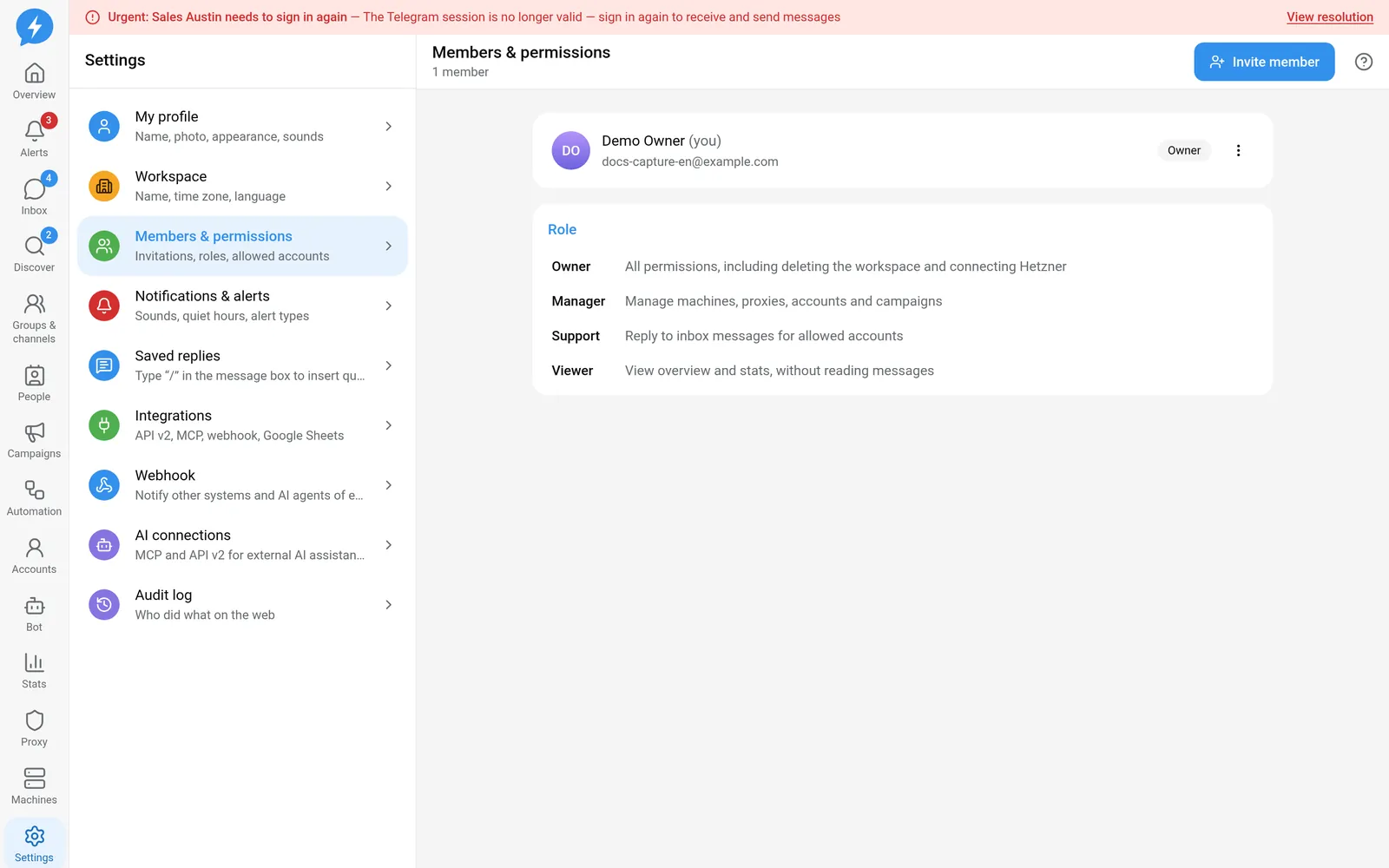
- Owners can assign roles, including Owner and Manager.
- Managers can only assign or manage Support and Viewer roles.
- Support and Viewers cannot invite members or manage roles.
In the member list, the app does not let you change your own role using the same menu used to manage others. Do not rely on promoting yourself to complete a blocked operation.
See the Members guide to make changes.
Workspace time zone and language
When creating a workspace, you choose the Time zone and Primary customer language. Afterward, an Owner or Manager can edit general information in workspace settings.
The workspace time zone does not change every account’s operating hours at once. Accounts have their own time zone and schedule settings. Check them when your team changes how it operates.
Primary customer language is not a message translation feature. Telegram-Auto does not write or translate replies automatically. Interface language is each user’s display preference.
AI connection permissions
An AI connection does not implicitly use the identity of a member with an open browser. It has its own authorization identity, a role no higher than its creator’s, and granted operation scopes.
A connection with read access therefore does not automatically have permission to send messages. A connection allowed to send also does not automatically have permission to manage machines or members.