Get started
Choose web, REST API, MCP, or webhooks
Choose the right way to work for operators, integrated software, and external AI agents.
Telegram-Auto offers several interfaces to the same execution system. Choose the interface that fits the person or software doing the work. You do not need to move all your operations to the API just to add an integration.
Quick choice
| Interface | Who it is for | When to use it |
|---|---|---|
| Web app | Workspace Owners, Managers, Support, and report viewers | Initial setup, handling conversations, monitoring status, and situations that need a human decision |
| REST API v2 | Developers, integration services, and workflows you write | Calling operations from code, retrieving data, and tracking results |
| MCP | External AI agents or MCP-compatible applications | Letting an agent discover tools and perform tasks within its granted scope |
| Webhook | Systems that need event notifications | Receiving events pushed to an HTTPS address you manage |
Webhooks do not replace REST or MCP for issuing commands. Likewise, REST and MCP do not require you to enable webhooks if you do not yet need events.
When to use the web app
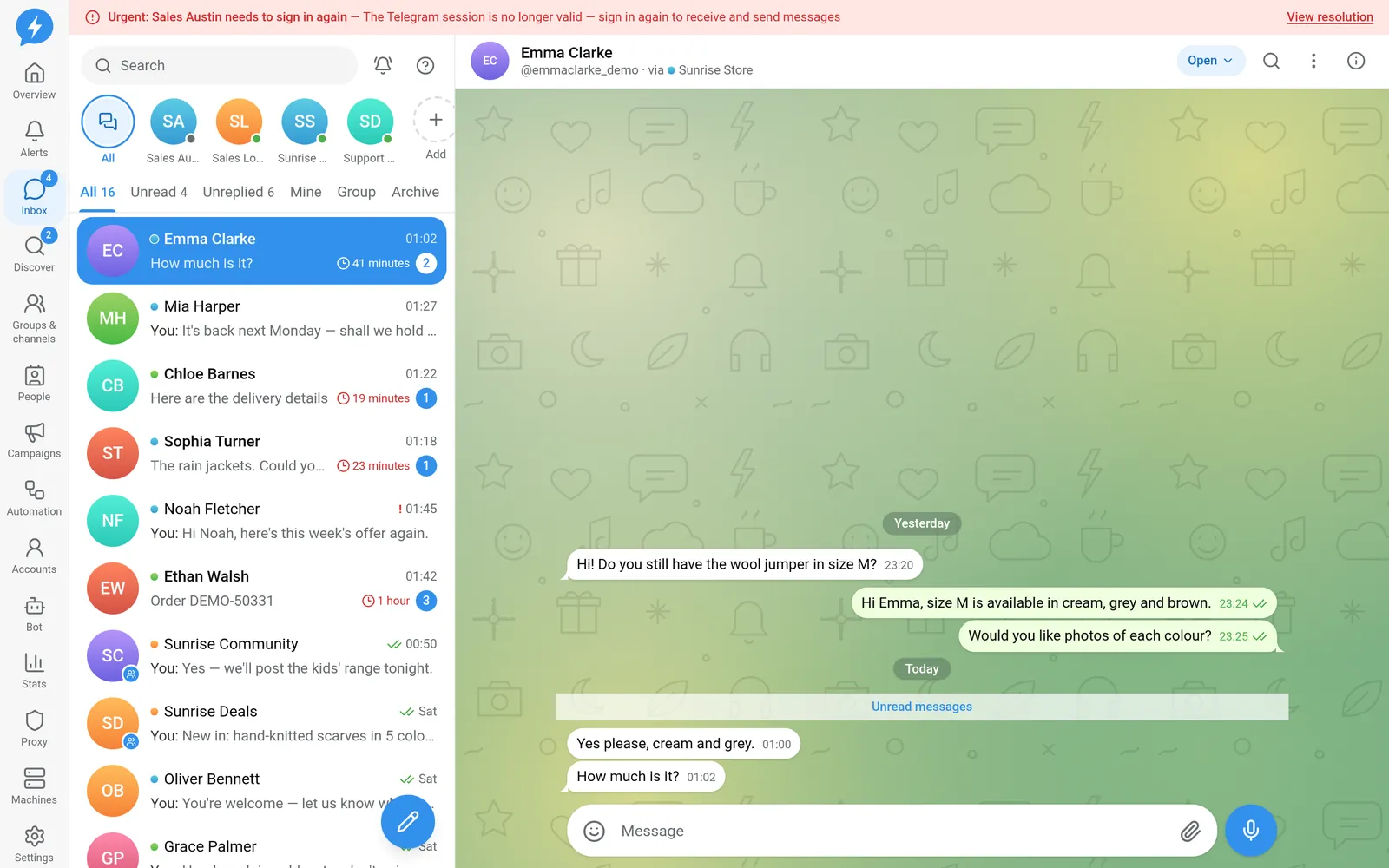
Start on the web if you are creating a workspace, connecting Hetzner, or signing in to Telegram for the first time. It is also the right place to check machines, proxies, and accounts before letting an integration run.
For support teams, the web inbox lets you read the context before deciding how to reply. Operators do not need to build their own screens from the API.
Some operations reserved for direct users are not exposed through the API or MCP. For example, connecting and disconnecting Hetzner require the workspace Owner to act on the web.
When to use REST API v2
Choose REST when you control the integration code and want to call each operation explicitly. For example: read conversations, sync customer data to your own system, or send content approved by your workflow.
REST v2 and MCP call the same business operations as the web app. They do not have a separate sending path that skips account, proxy, limit, or do-not-contact checks.
An accepted operation may not yet be complete on Telegram. For operations that run as jobs, your integration must track the result. Do not treat an acceptance response as proof that a message was sent.
Start with the REST reference, then read States and Error codes.
When to use MCP
Choose MCP when your external tool supports this protocol. An agent can use business tools instead of operating the browser itself.
Telegram-Auto has no built-in AI. Reasoning and content generation happen in an external system. An agent can only do what its connection allows.
Each AI connection has its own authorization identity in the workspace. Effective permissions also depend on its role, operation scopes, assigned accounts, and dangerous-action policy. A connection’s role cannot exceed its creator’s role.
See AI connections and the MCP reference. Do not assume every tool appears in every MCP configuration.
When to use webhooks
Choose webhooks when you want your system to receive notifications instead of repeatedly polling for changes. The receiver must verify event signatures and handle repeated delivery of the same event.
Webhooks send event information. They do not grant permission to perform operations. If the receiver needs to respond with an action, use a REST or MCP connection with the appropriate permissions.
Read Webhook integration and Build a receiver.
Combine interfaces
A practical setup could be:
- The Owner sets up infrastructure on the web.
- Support handles conversations that need a person.
- Your own service calls REST for clearly defined work.
- An agent uses MCP to assist with narrowly scoped tasks.
- Webhooks notify related systems of changes.
Do not share a web sign-in account instead of creating an integration connection. Do not grant full access just because an integration needs to send messages.