Troubleshooting
Machine offline
Determine whether the worker is still running, check Hetzner or Windows, and avoid moving sessions between machines yourself.
Symptoms
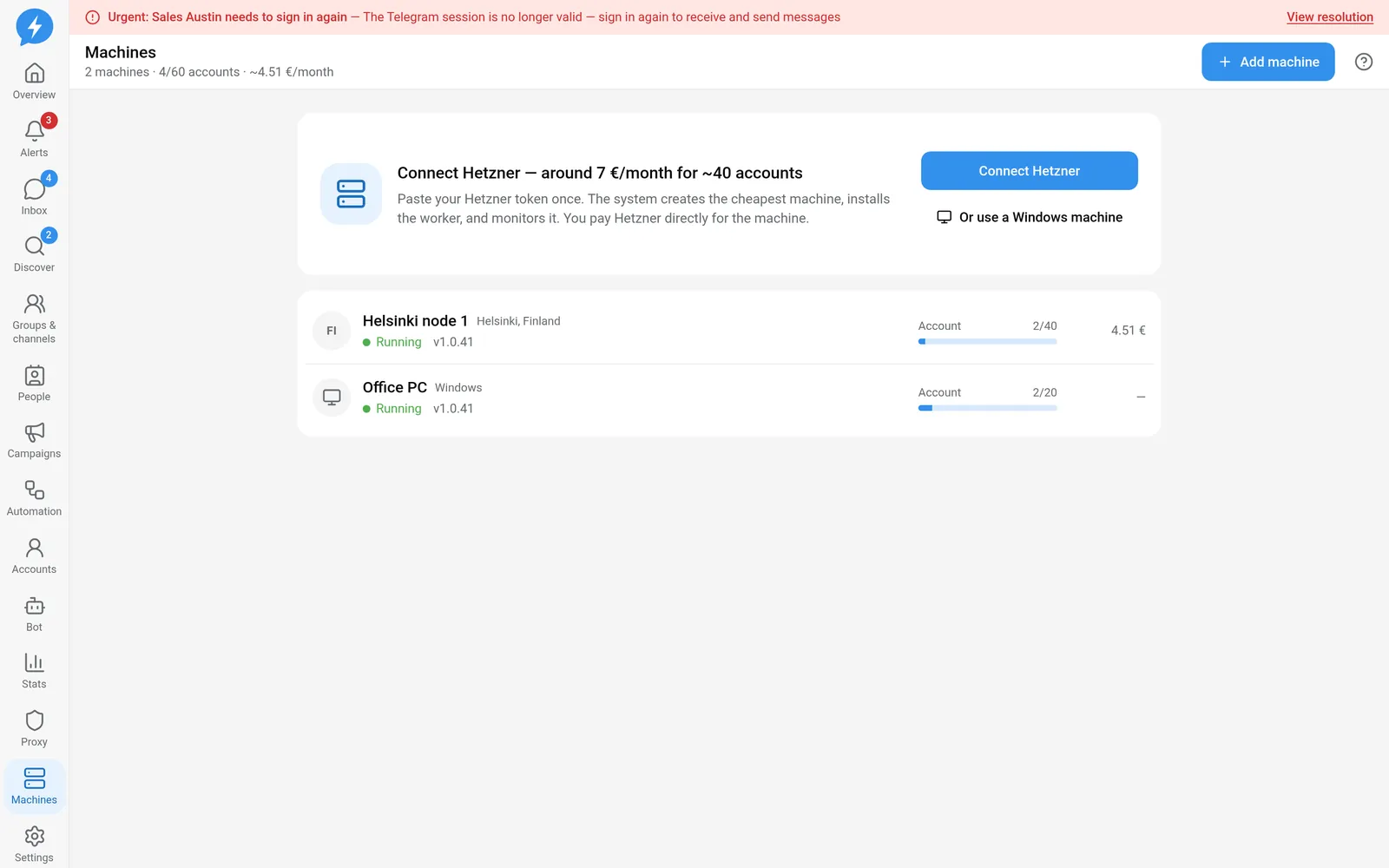
The Machines page reports that a machine is offline. Jobs for accounts on that machine do not progress, sign-in has no QR code yet, or new messages do not sync to the app.
Offline means the server no longer has enough evidence that the worker is ready. It does not by itself prove that the machine was deleted, Telegram signed out, or every account's proxy is broken.
Common causes
- The Hetzner machine is powered off or has a provider-side problem.
- The Windows machine is asleep, restarting, or disconnected from the network.
- The worker is no longer running or cannot connect to the server.
- A worker update has not completed.
- The worker is alive but too old to accept a new job type.
- The displayed state has not been reconciled with the provider.
A heartbeat only proves that the machine is still communicating. It does not automatically recover a Telegram session or clear a safety state. Conversely, a missing heartbeat does not automatically turn a valid session into a revoked one.
How to fix
- Open Machines.
- Identify the machine holding the affected account.
- Check its last contact time and worker version.
- For Hetzner, check that the machine still exists and is powered on in your Hetzner account.
- For Windows, check that the machine is on, awake, and connected to the network.
- Check that the worker is still running on the machine.
- Check the result of any worker update or restart.
- Wait for the machine to report that it is connected again.
- Check a pending job to confirm that the machine is picking up jobs again.
Do not start multiple worker instances holding the same session. Only one worker may hold a Telegram session at a time.
If the machine is online but not picking up jobs, read the hold reason. The account may be blocked by its proxy, safety state, operating hours, or version requirements. Restarting the machine does not clear those conditions.
When you need to move an account
You can request a machine change through the app, but the server decides session ownership and when jobs are assigned. Do not copy the session directory to a new machine to move it yourself.
Changing machines may require signing in again and affect the warm-up schedule. Check unverified messages before continuing work on the new machine.
If it still fails
Record the machine ID, machine type, worker version, last contact time, and the ID of a job that has not been picked up. For Hetzner, include the machine status from its control panel. For Windows, include the worker process status and network errors with secrets hidden.
If the machine reconnects but the account still has errors, move on to checking the proxy or Telegram sign-in.
Read more about Machines. An agent can use the infrastructure list, MCP infra_list, to report status. It must not delete or move machines without an appropriate decision.