Concepts
Personal Telegram accounts and sign-in sessions
Distinguish personal accounts from bots and understand sessions and account states in the app.
Telegram-Auto operates personal Telegram accounts. When you add an account, you sign in to your existing account. The app does not create a new Telegram user for you.
Each account is assigned to a machine and its own proxy. Authorized members can work through the shared inbox without sharing Telegram sign-in details with each other.
How is a personal account different from a bot?
| Personal account | Bot |
|---|---|
| You sign in with QR or a phone number and code | Each account creates its own bot through its own conversation with @BotFather |
| The machine holds the account’s sign-in session | A bot token does not replace a personal account session |
| Appears under Accounts for handling conversations | Related features are under Bots |
Bots is not a place to paste a bot token to open an inbox. If you want to work with conversations from the account you use on your phone, use the account sign-in flow.
What does “sign in” mean?
Signing in to Telegram authorizes the machine to establish a session for the account. You confirm using QR or a sign-in code. Telegram may also request a two-factor authentication password.
The session lets the account stay connected after you close the website. It is not a member’s web sign-in password.
Sessions are encrypted when stored. Session contents are not exposed in the interface for copying to another tool. A session is held only by its assigned machine and is not shared across multiple machines.
The two-factor authentication password is used only for sign-in and is not saved afterward. If Telegram revokes the session, you must sign in again. Reopening a browser tab does not automatically restore Telegram access.
Read the combined status label
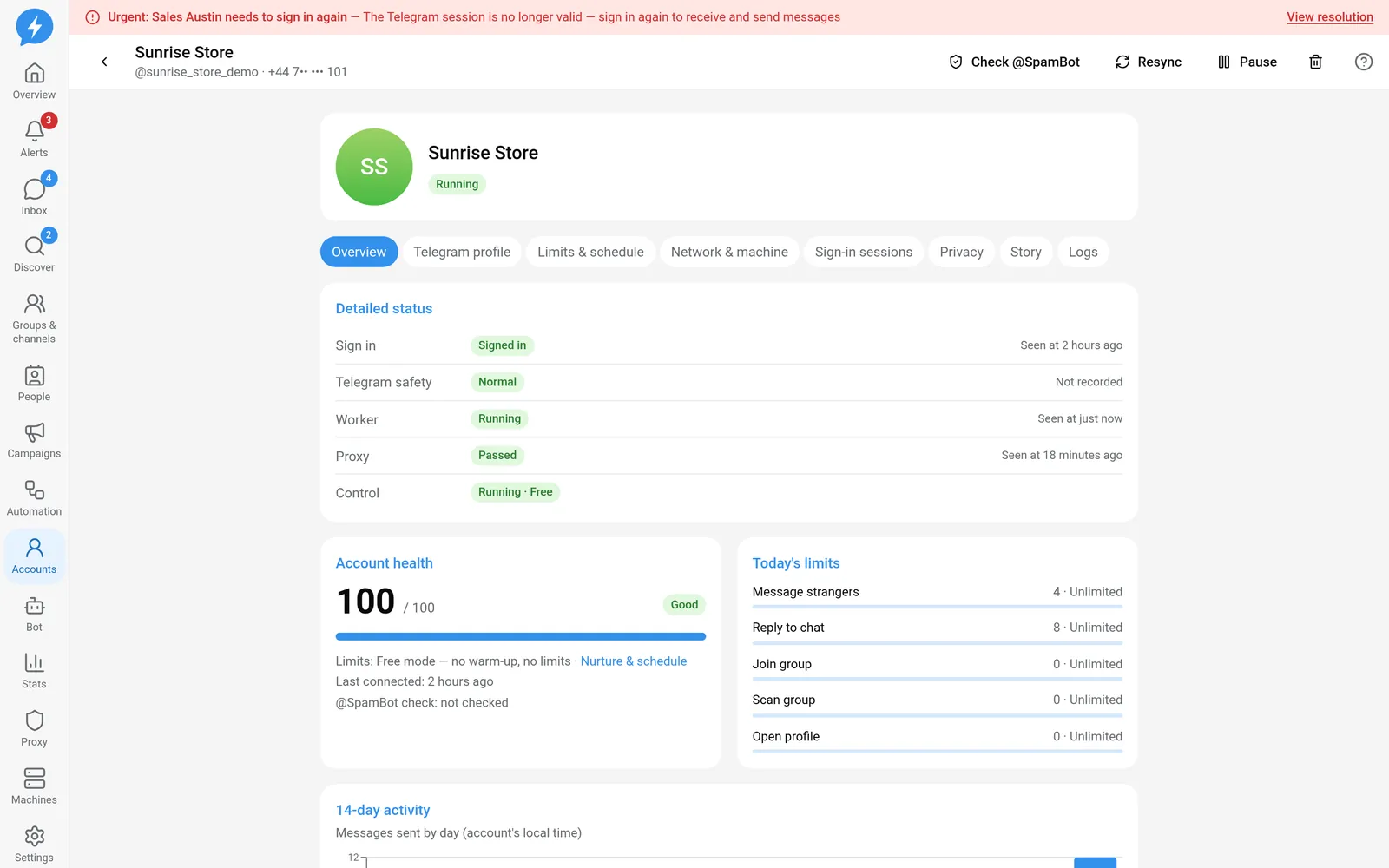
The combined label prioritizes issues that need attention over normal operating status. The table is ordered by priority.
| Label | Meaning |
|---|---|
| Banned | The account’s safety state is banned |
| Frozen | Telegram has frozen the account |
| Limited | Telegram is restricting the account |
| Needs to sign in again | The session needs to be authenticated again |
| Waiting for terms | A Telegram terms request needs attention |
| Signing in | The sign-in flow is in progress |
| Not signed in | The account has no active session or has signed out |
| Proxy error | The proxy is missing, unsuitable for use, or identified as rotating its IP |
| Machine disconnected | The machine is not confirmed online |
| Paused | You have enabled the paused state |
| Slowed down | The account is being throttled because of Telegram signals |
| Warming up (week …) | The account is in Safe mode and still warming up |
| Running | No higher-priority condition applies |
Running does not guarantee that every action will be dispatched immediately. Operating hours, limits, recipients, and each job’s conditions are still checked.
Why check several aspects of status?
Account details separate aspects such as Sign in, Telegram safety, Worker, Proxy, and your desired state.
An account can be signed in while its machine is disconnected. It can also have a session while paused. The combined label shows only the highest-priority issue. It does not remove the other conditions.
Old check data is not proof that the current state is still good. When a machine is silent or information is too old, the app shows an unknown state instead of assuming everything is fine.
Free and Safe
New accounts default to Free. This mode does not apply warm-up as Safe does, but mandatory checks for sessions, proxies, safety states, and dispatch conditions still apply.
Switching modes is not a way to recover a restricted account. Read about the two modes before changing them.